How to Obtain the API Key for Large Models
I. Preparatory Notes
1.1 What is an API Key
An API Key is your identity credential on the third-party large model platform. OpenClaw calls MiniMax's large model services through it to implement AI functions. The API Key is equivalent to your account password; please keep it properly and do not disclose it to others.
1.2 List of Supported Models
| Platform | Available Models | Billing Method |
|---|---|---|
| MiniMax CN (China Region) | MiniMax M2.7, MiniMax M2.5 | Billed by Token; prepayment required before use |
| MiniMax Global (Global Region) | MiniMax M2.7, MiniMax M2.5 | Billed by Token; credit card payment supported |
1.3 Fee Notes
- The OpenClaw application itself is free to use.
- All fees for large model calls are directly collected by the MiniMax platform.
- You can view the usage volume and balance in real time on the MiniMax console.
- It is recommended to set up consumption alerts to avoid unexpected excessive charges.
II. Obtain the API Key for MiniMax CN (China Region)
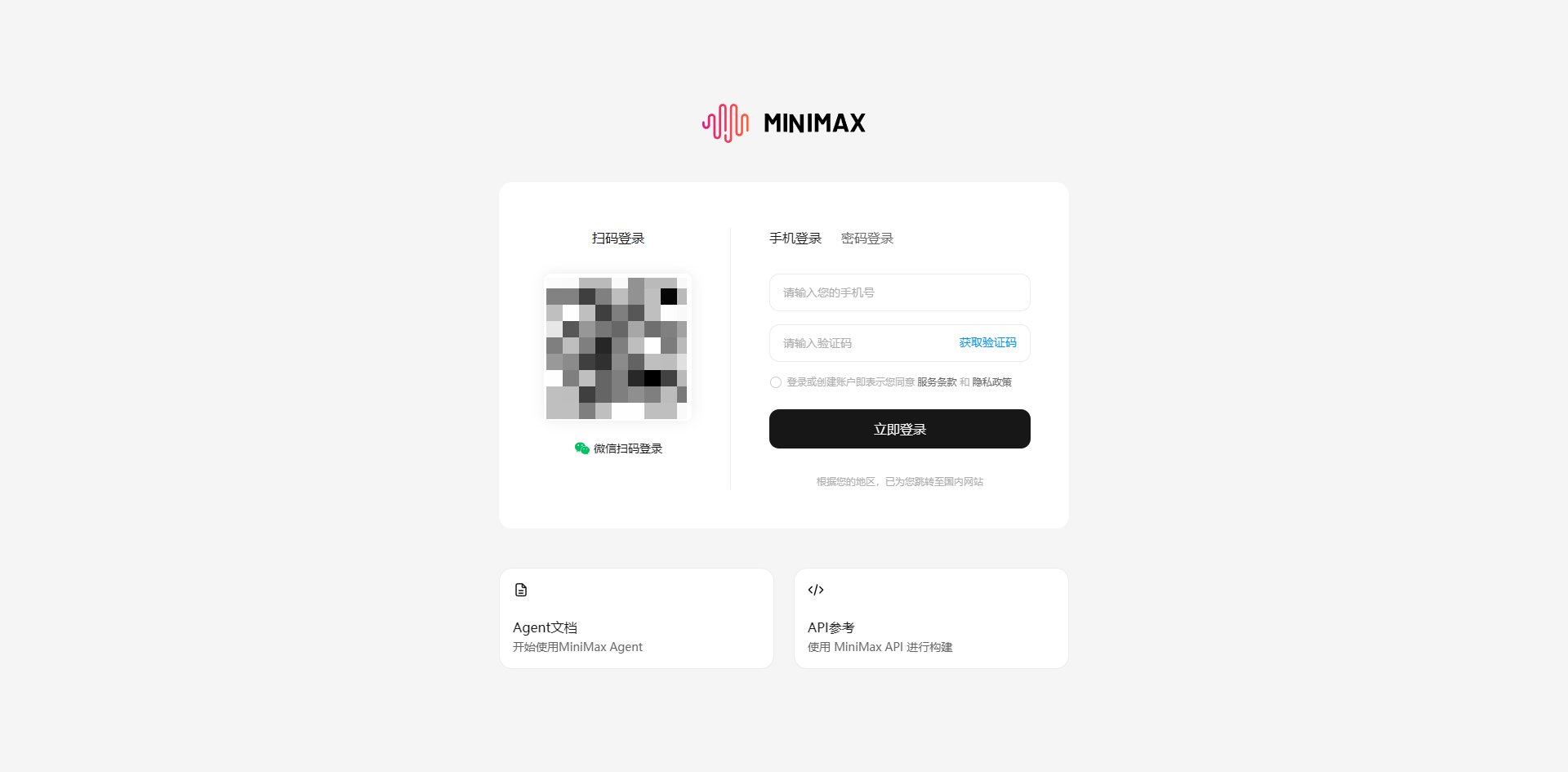
2.1 Register and Log in to a MiniMax Account
- Open a browser and visit the official MiniMax website: https://www.minimaxi.com
- Complete registration and login using a mainland China mobile phone number.
- Complete real-name authentication (Real-name authentication must be completed to obtain an API Key).
2.2 Create an API Key
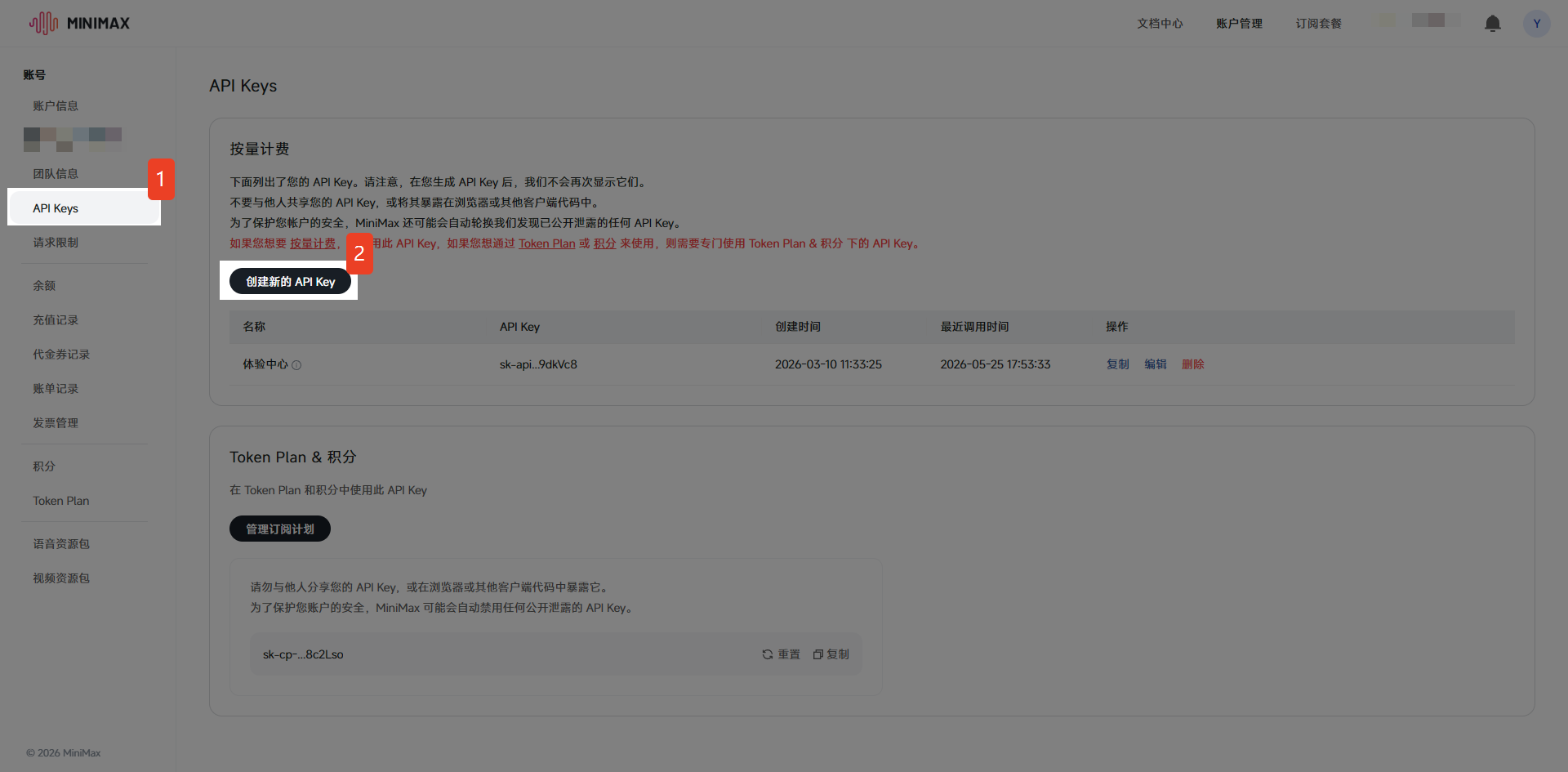
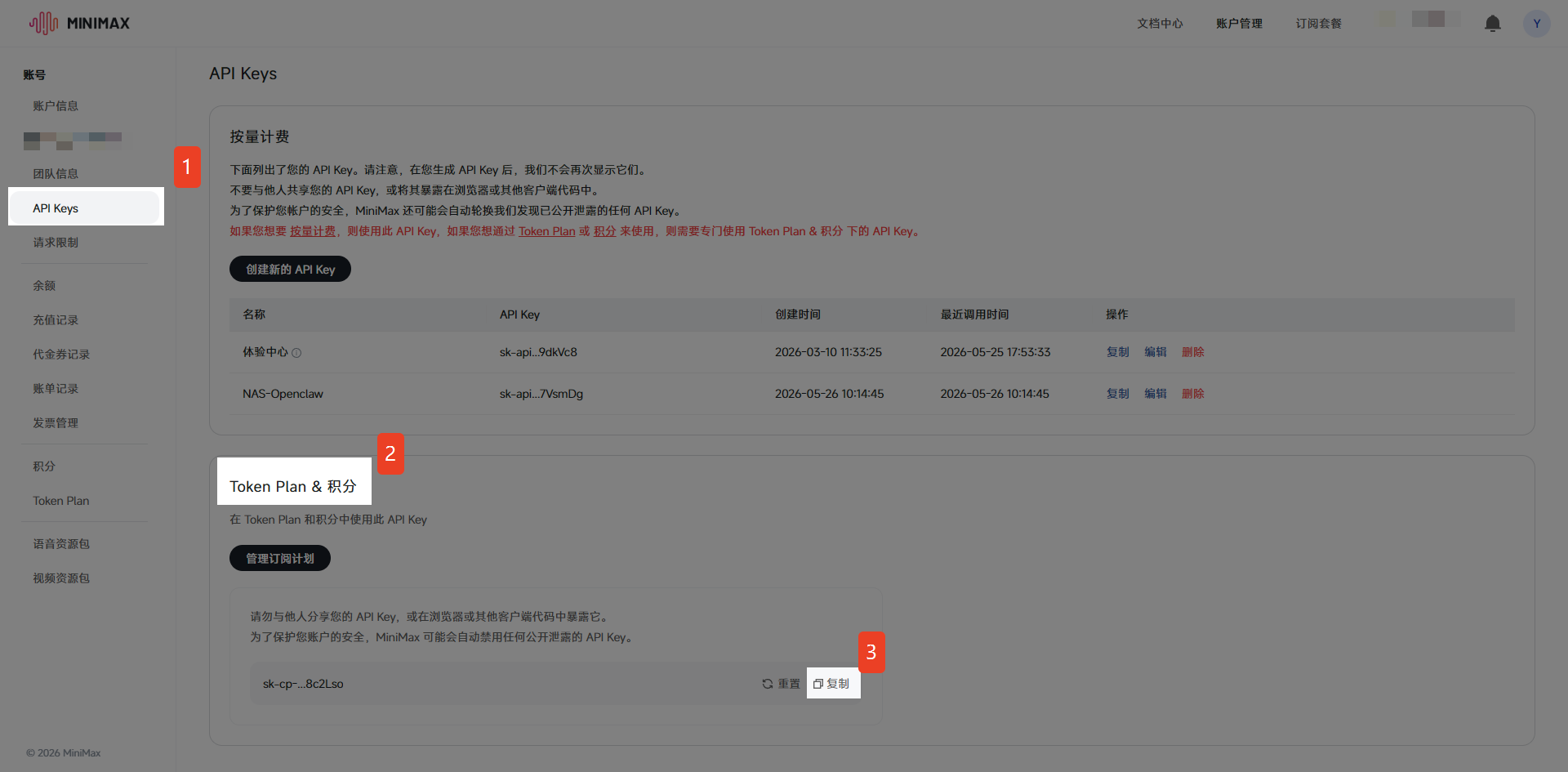
- After logging in, select "API Keys" in the left navigation bar.
- Click the "Create a new API Key" button.
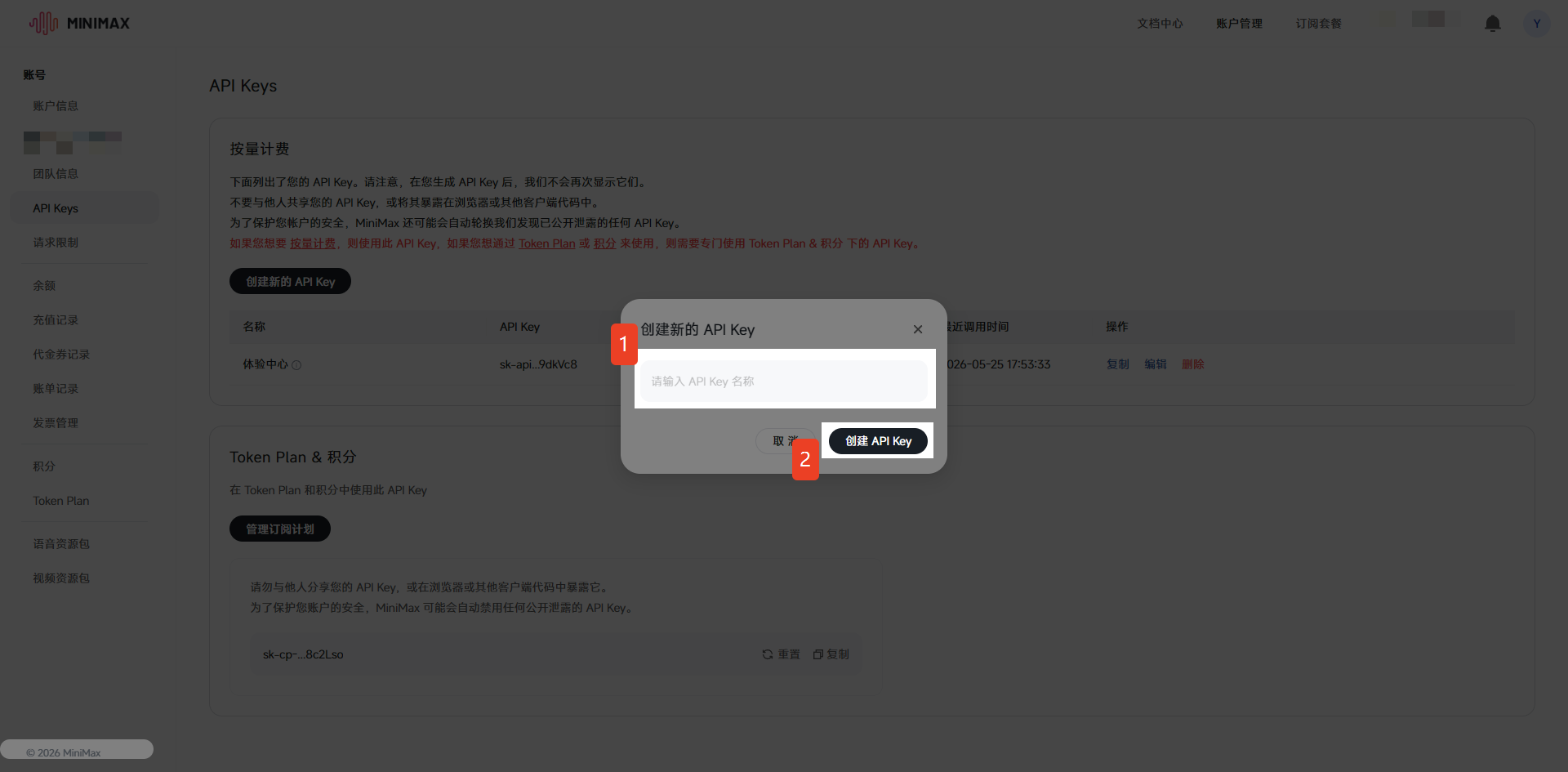
- In the pop-up dialog box: Enter the API Key name.
- Click "Create API Key".
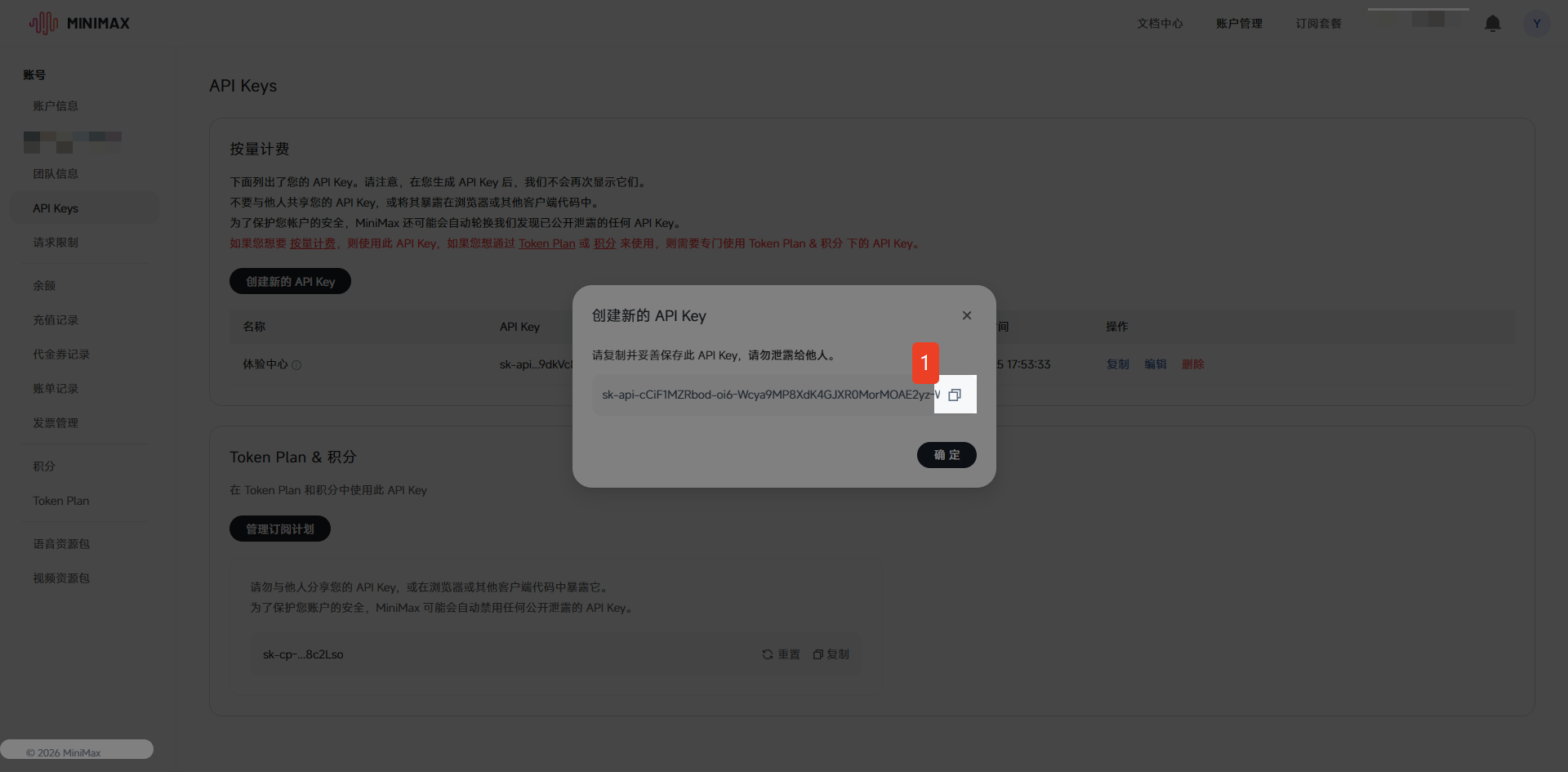
- After successful creation, click to copy.
2.3 Token Plan & Points
- After logging in, select "API Keys" in the left navigation bar.
- Locate "Token Plan & Points", then click "Copy".
2.4 Recharge Account Balance & Subscribe to Token Plan
Either a recharged account balance or an active Token Plan is sufficient for use
2.4.1 Recharge Account Balance
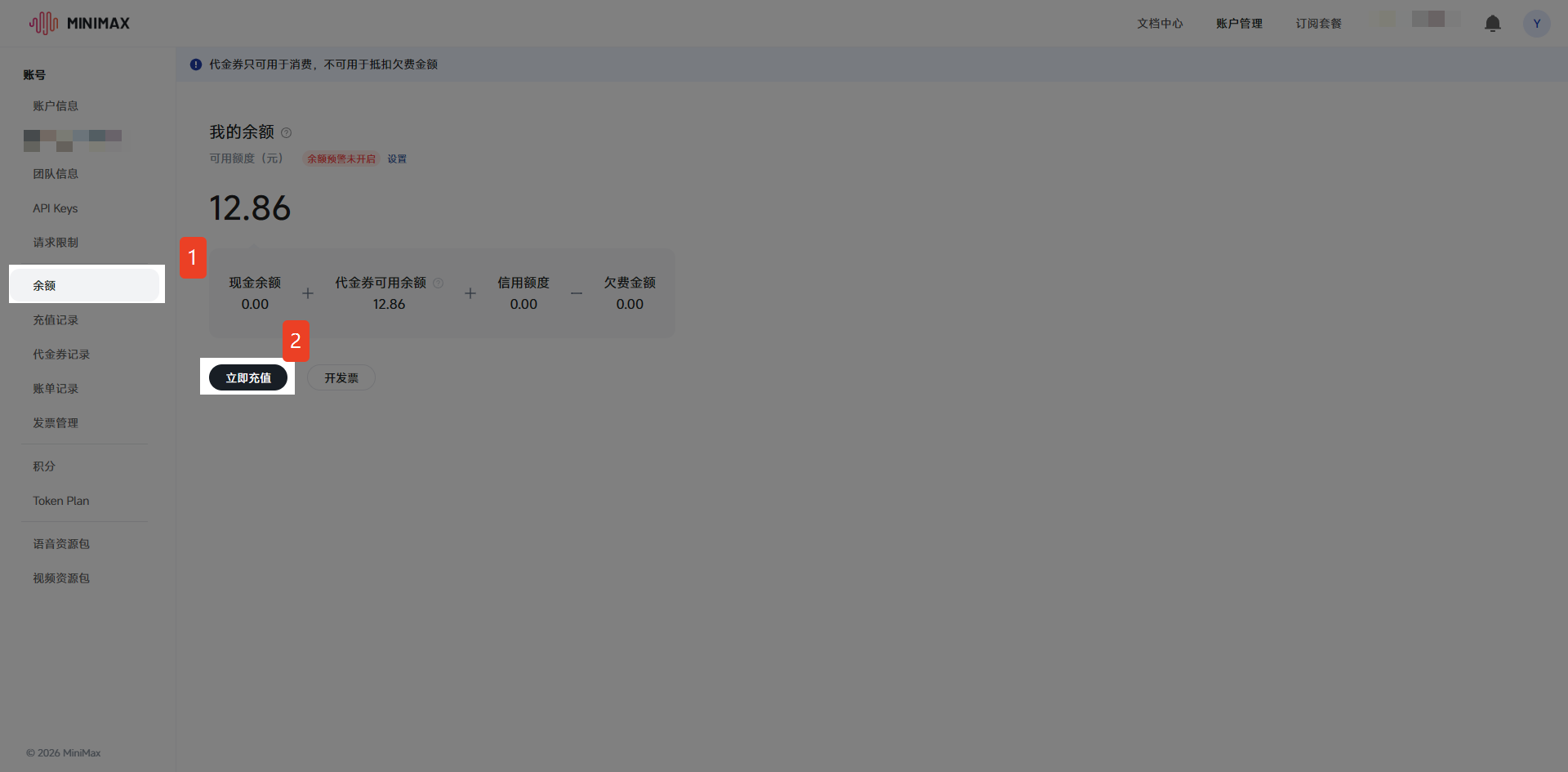
- Click "Balance" in the left navigation bar, then click "Recharge Now".
- Enter the recharge amount.
- Complete the payment via WeChat.
- After successful recharge, the balance will be displayed at the top of the page immediately.
2.4.2 Subscribe to Token Plan
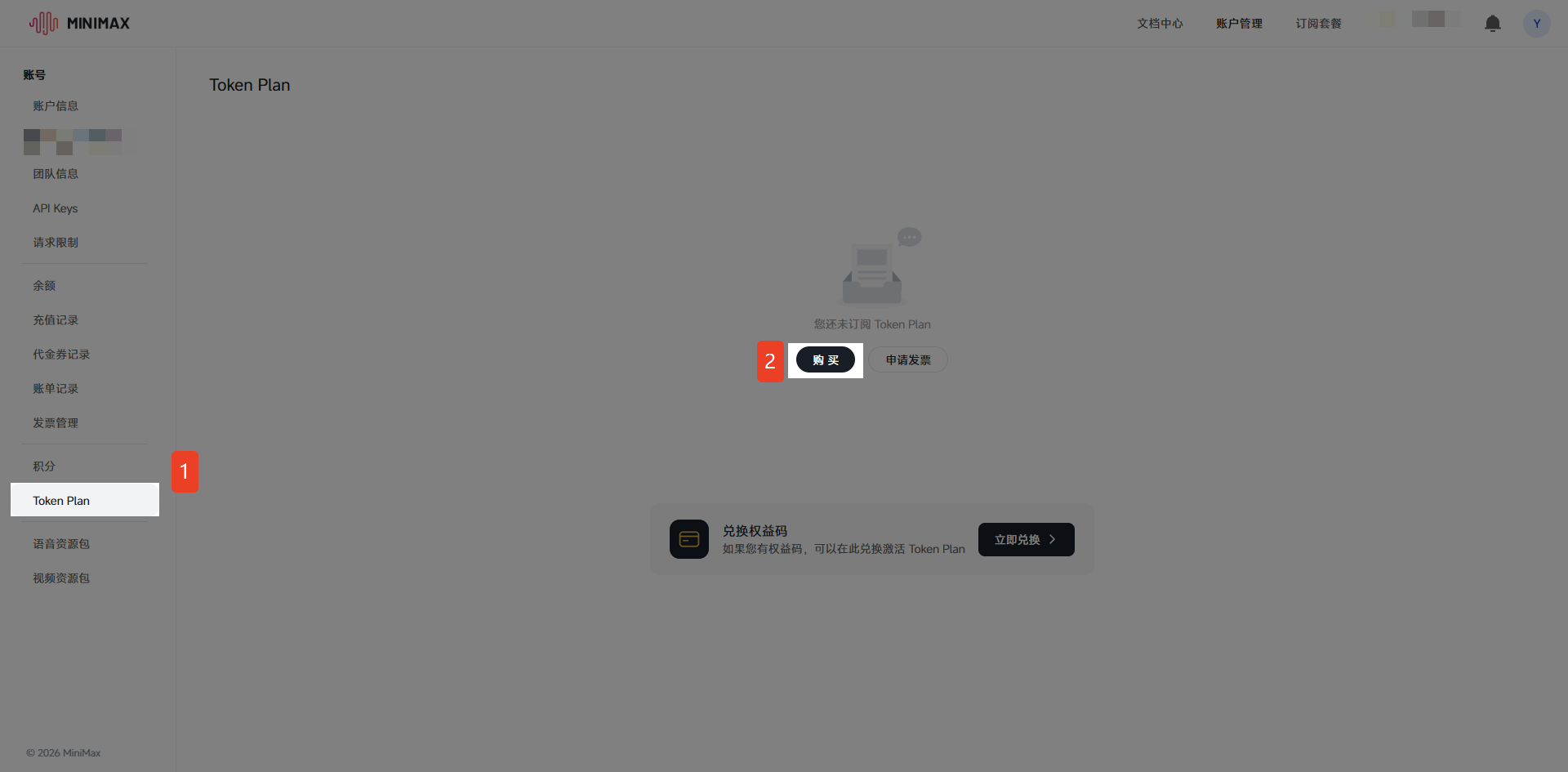
- Click "Token Plan" in the left navigation bar, then click "Purchase".
- Select a subscription plan that suits your current needs.
- Complete the payment via WeChat/Alipay.
- After successful subscription, the Token Plan will be displayed at the top of the page immediately.
III. Obtain the API Key for MiniMax Global (Global Region)
3.1 Register and Log in to a MiniMax Global Account
- Open a browser and visit the MiniMax Global official website: https://www.minimax.io/
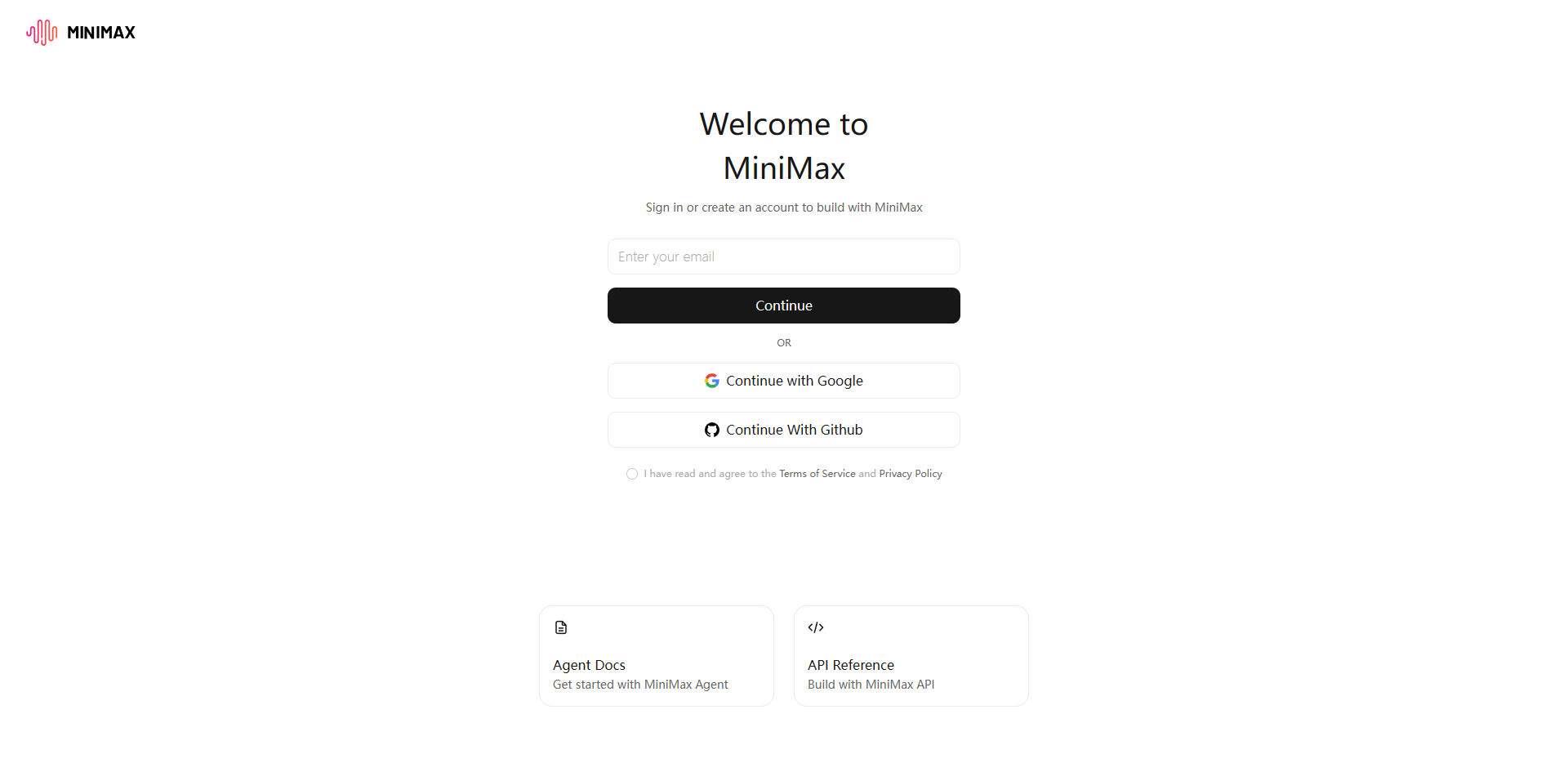
- Complete registration using an email address.
- Verify your email address.
- Log in to your global region account.
3.2 Create an API Key
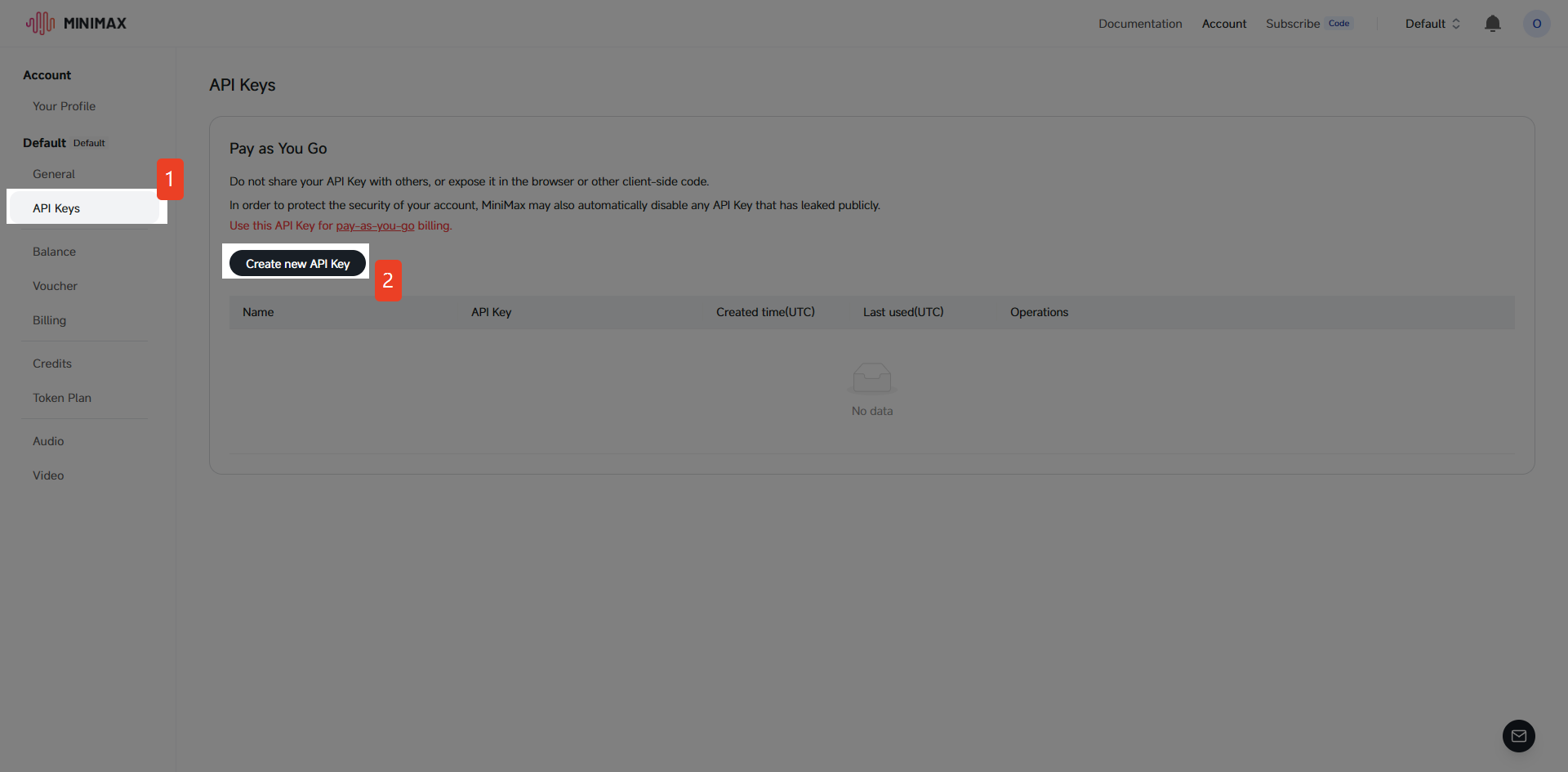
- After logging in, select "API Keys" in the left navigation bar.
- Click the "Create new API Key" button.
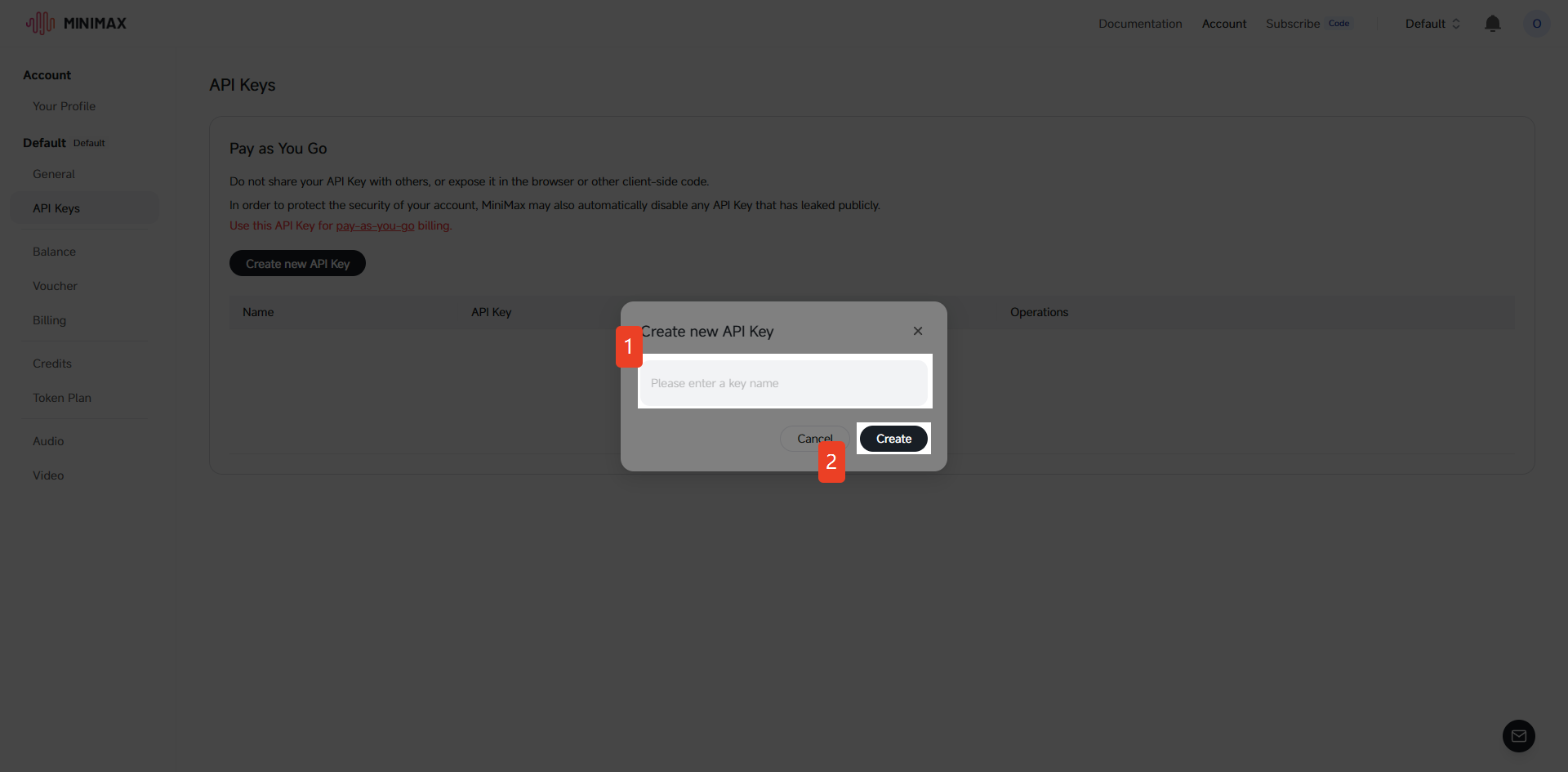
- In the pop-up dialog box: Enter the API Key name.
- Click "Create API Key".
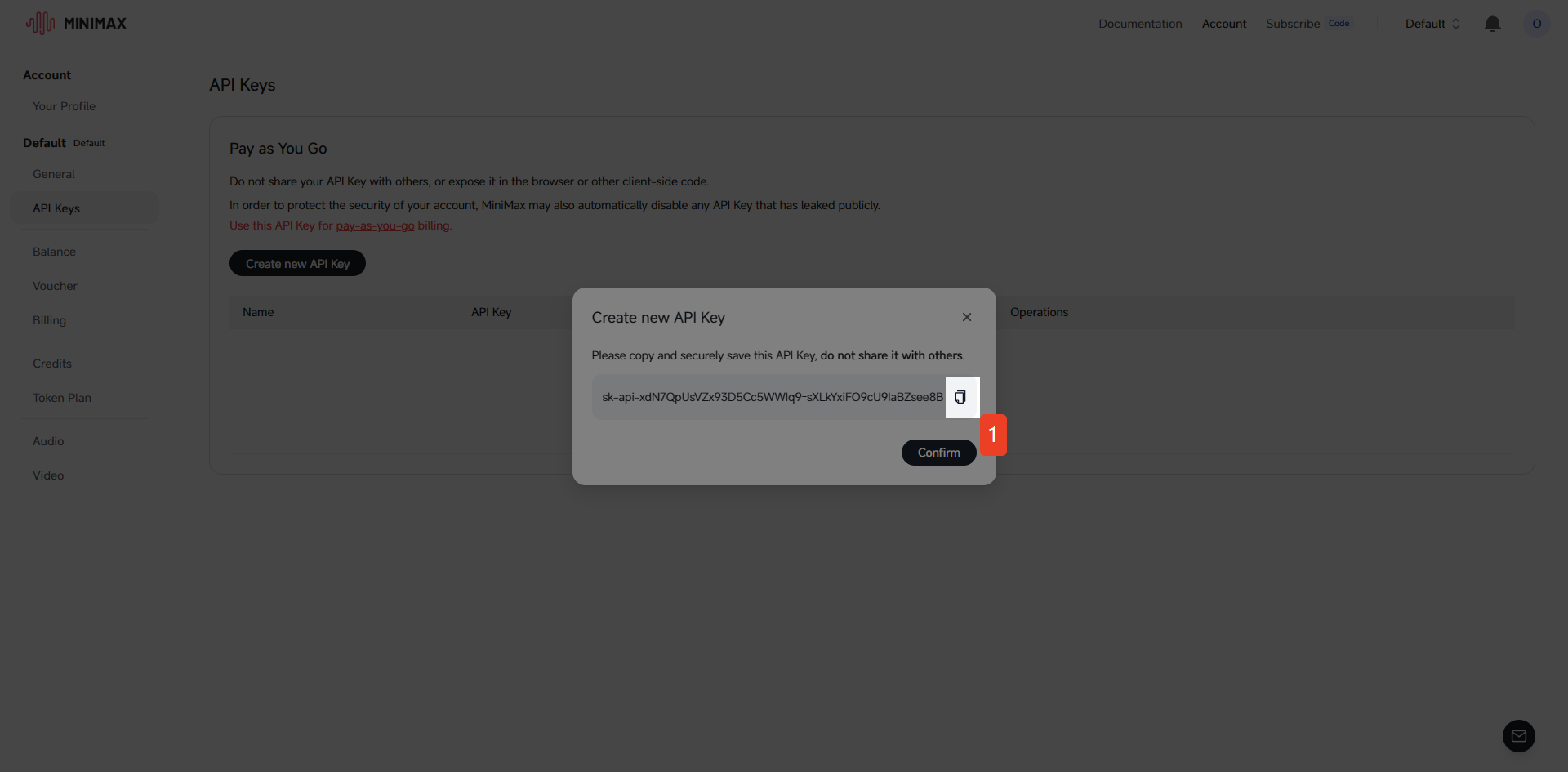
- After successful creation, click to copy.
3.3 Token Plan
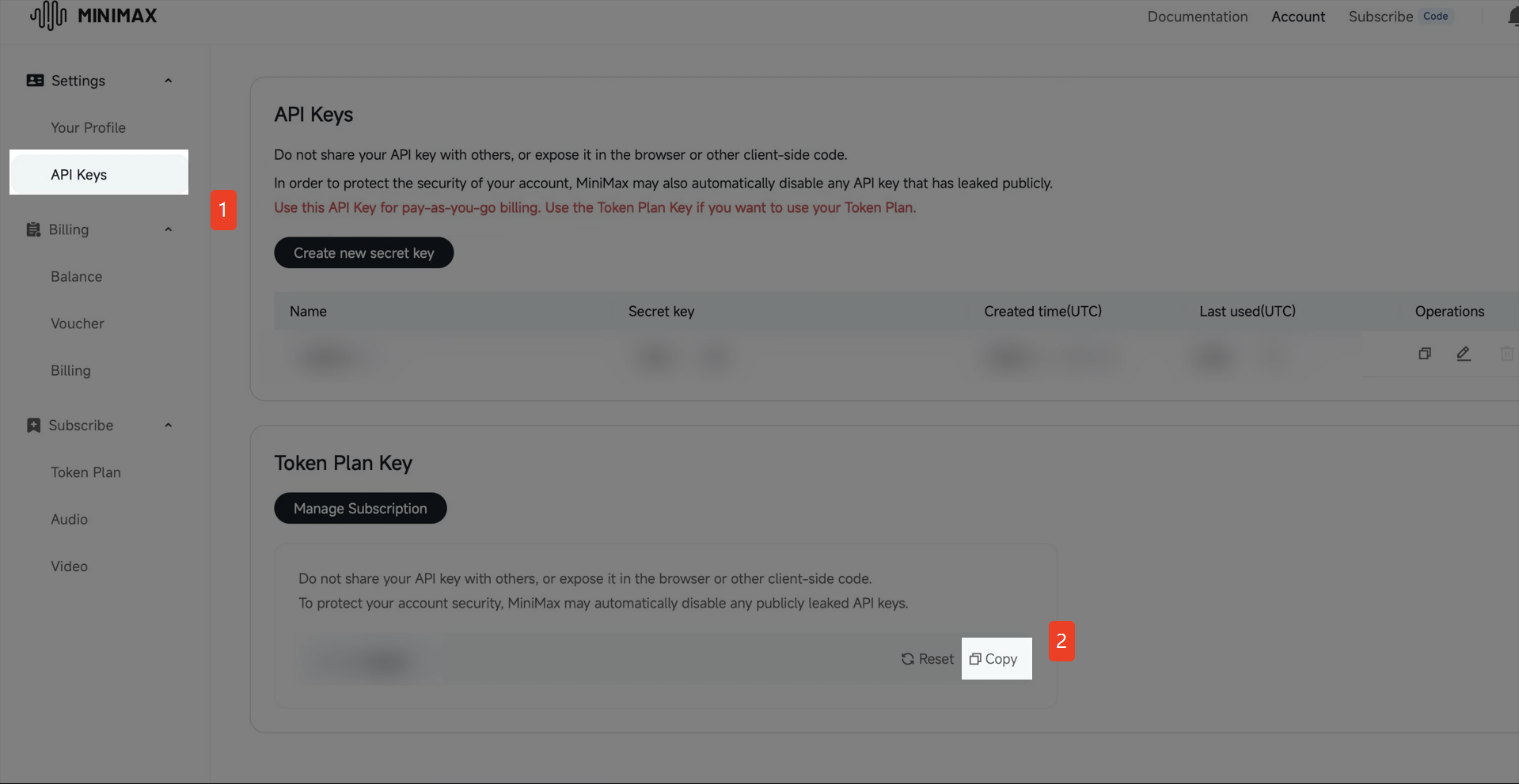
- After logging in, select "API Keys" in the left navigation bar.
- Locate "Token Plan", then click "Copy".
3.4 Recharge Account Balance & Subscribe to Token Plan
Either a recharged account balance or an active Token Plan is sufficient for use
3.4.1 Recharge Account Balance
- Click "Balance" in the left navigation bar, then click "Recharge".
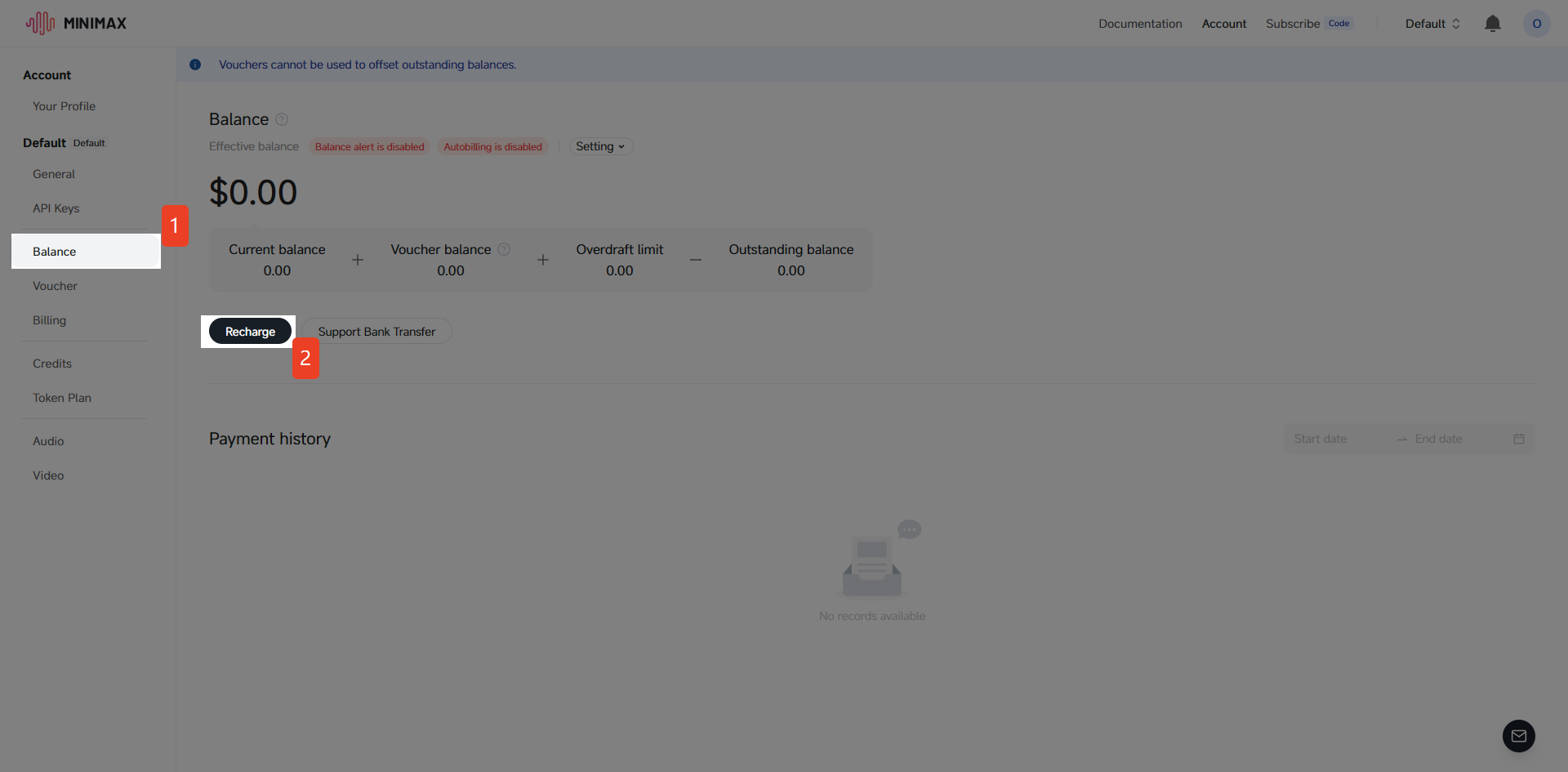
- Enter the recharge amount.
- Complete the payment via bank card/Alipay.
- After successful recharge, the balance will be displayed at the top of the page immediately.
3.4.2 Subscribe to Token Plan
- Click "Token Plan" in the left navigation bar, then click "Purchase".
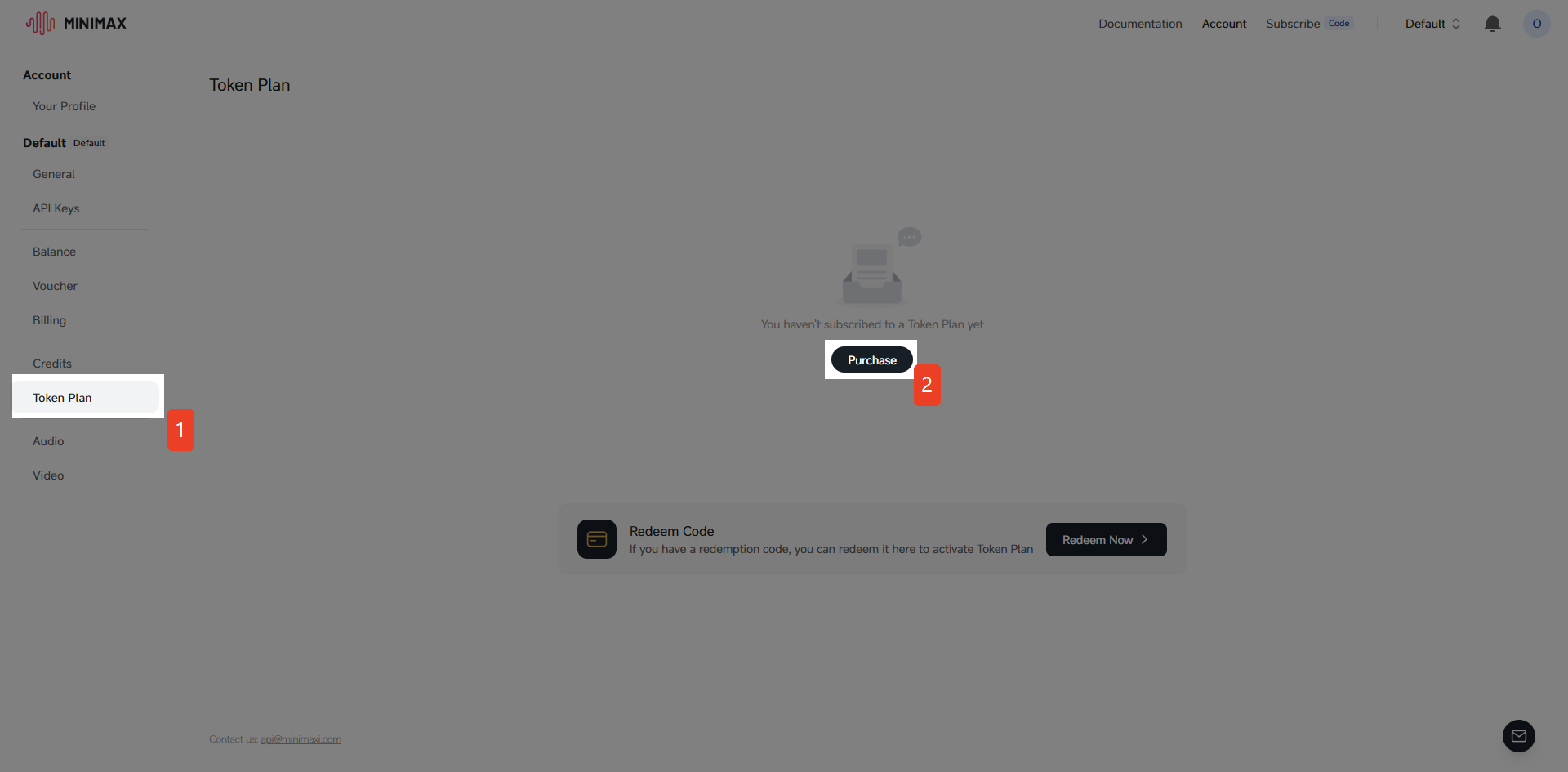
- Select a subscription plan that suits your current needs.
- Complete the payment via bank card/Alipay.
- After successful subscription, the Token Plan will be displayed at the top of the page immediately.